
Real-time, realistic visuals inside SketchUp
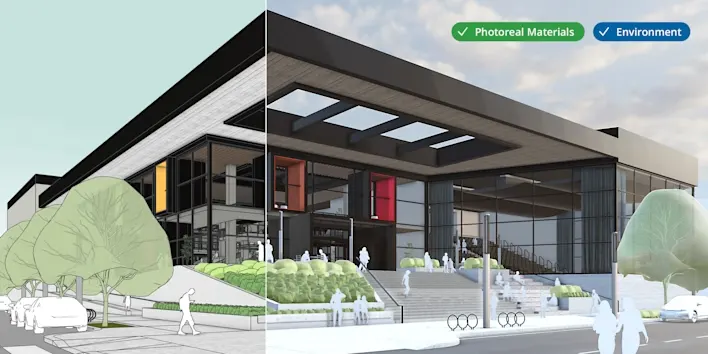
Photorealistic Materials and Environments
Use true-to-life finishes and skydomes to accurately convey materials and deepen client alignment. Apply Photoreal Materials in one click or dial in advanced settings, and see the effect in real time.
New library with curated subscriber content
Save time and iterate quicker with new, curated asset libraries. 3D Warehouse offers subscribers a refreshed Content Library that delivers organized, easy-to-access, configurable models, materials and Environments.

Configurable models
Find, adjust, and place objects in your project quickly with pre-built, configurable assets, from furniture to building elements like doors, walls and windows.
Materials & Environments
Access premium, curated true-to-life materials to clearly communicate your vision, with new libraries of Photoreal Materials and Environments.
Move seamlessly between SketchUp and LayOut
New improvements to LayOut
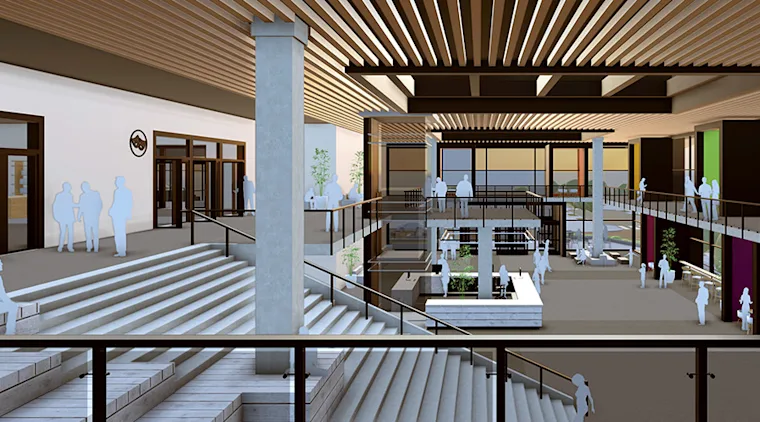
Easily transition from 3D in SketchUp for Desktop to 2D in LayOut with familiar tool behavior. LayOut updates offer more control and precision in an easier-to-learn package.
Improved roundtrip file support

Enhanced IFC compatibility
Experience upgraded transitions in and out of SketchUp with the latest IFC improvements. Keep your data intact and your workflow smooth, minimizing data loss and manual rework.


الأسئلة الشائعة
I don't have a SketchUp subscription. How can I access these features?
Explore our plans to find the right fit, every subscription includes the latest features. Medialogic can quote in AED or USD and help you choose. View plans or start a trial.
I'm a SketchUp subscriber. How do I update to the latest version?
Subscribers can update immediately from within SketchUp or their SketchUp account. Need help updating a team or a whole office? Contact Medialogic support and we'll walk you through it.
Where can I learn more about the new features?
Read the product release articles on our blog, or join a Medialogic training course to get hands-on with the new tools.
What are the hardware requirements?
SketchUp requires specific hardware and software to run well. Note: SketchUp 2027 needs Apple Silicon on Mac and Windows 11 on PC; on Intel Macs or Windows 10 and earlier, install SketchUp 2026. See Resources for system requirements, or ask our team for a recommendation for your machines.